

Account Settings
Review the account fields that control billing identity, invoice delivery, tax details, addresses, and billing behaviour.
Account settings control how a customer account is identified, contacted, and billed inside MyPetParlor App. The account object stores the entire billing & subscription history of your customer and acts as the entry point for working with billing information, subscription data, transactions, invoices, and more.
Overview#
Accounts are core to managing your customers' billing-related matters. Most account settings are captured at creation time and can be updated later. A few settings — closing, reopening, and deleting accounts — change the lifecycle of the account itself.
For finding and reviewing accounts, see the Account Dashboard.
Create an Account#
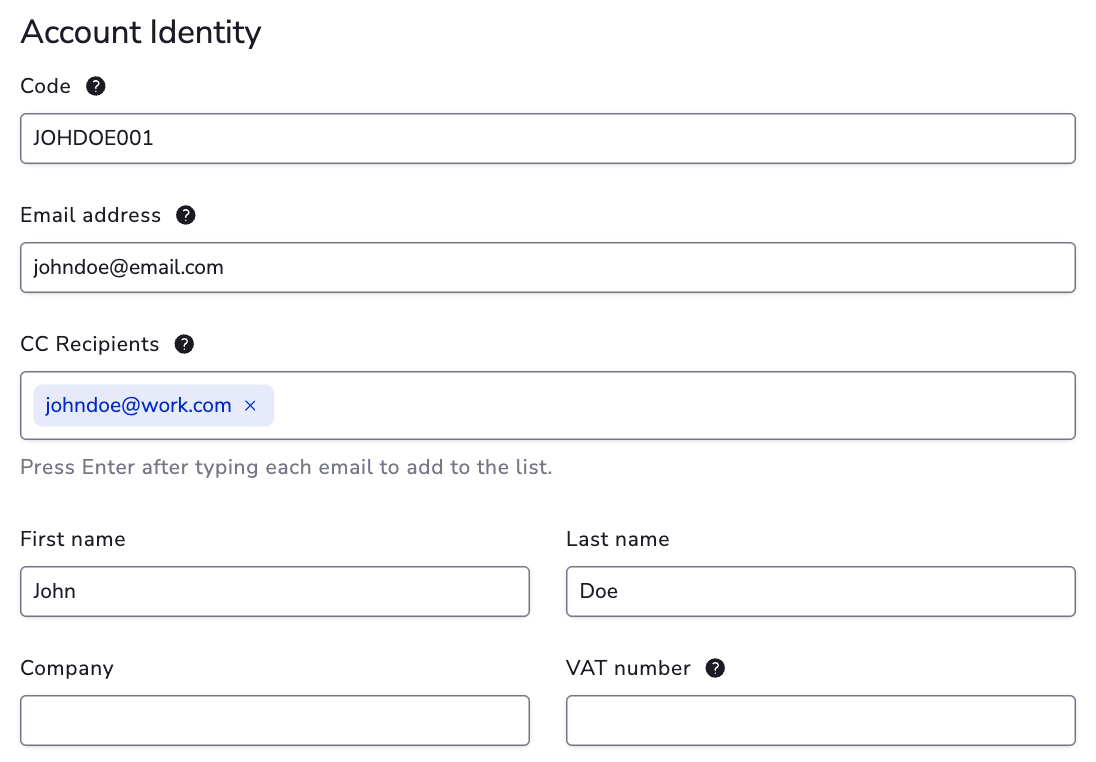
From the Account Dashboard, select + Add to create a customer's billing account. Provide the following:
Account Code#
Uniquely identifies a customer's billing account in MyPetParlor App. No two accounts can share the same account code. Many merchants align this value with their own user identifier; using the customer's email address is also common. Once set, the account code can't be modified. Avoid values that start with a period (.) or contain slashes (/) or semicolons (;).
Username#
A secondary identifier you can search for in the account dashboard.
Email#
The customer's email address. Account communications are sent here, and customers use this email to sign in to hosted account management pages. This value doesn't need to be unique.
CC Emails#
Additional addresses that should receive account emails. Separate with commas (for example, name@domain.com,name2@domain.com). CC recipients receive the same messages sent to the primary email address.
First Name / Last Name / Company / VAT Number / Phone Number#
Basic profile and tax details. Use Company for B2B or group billing scenarios, and VAT Number for tax-aware invoicing where the billing flow supports it.
Address#
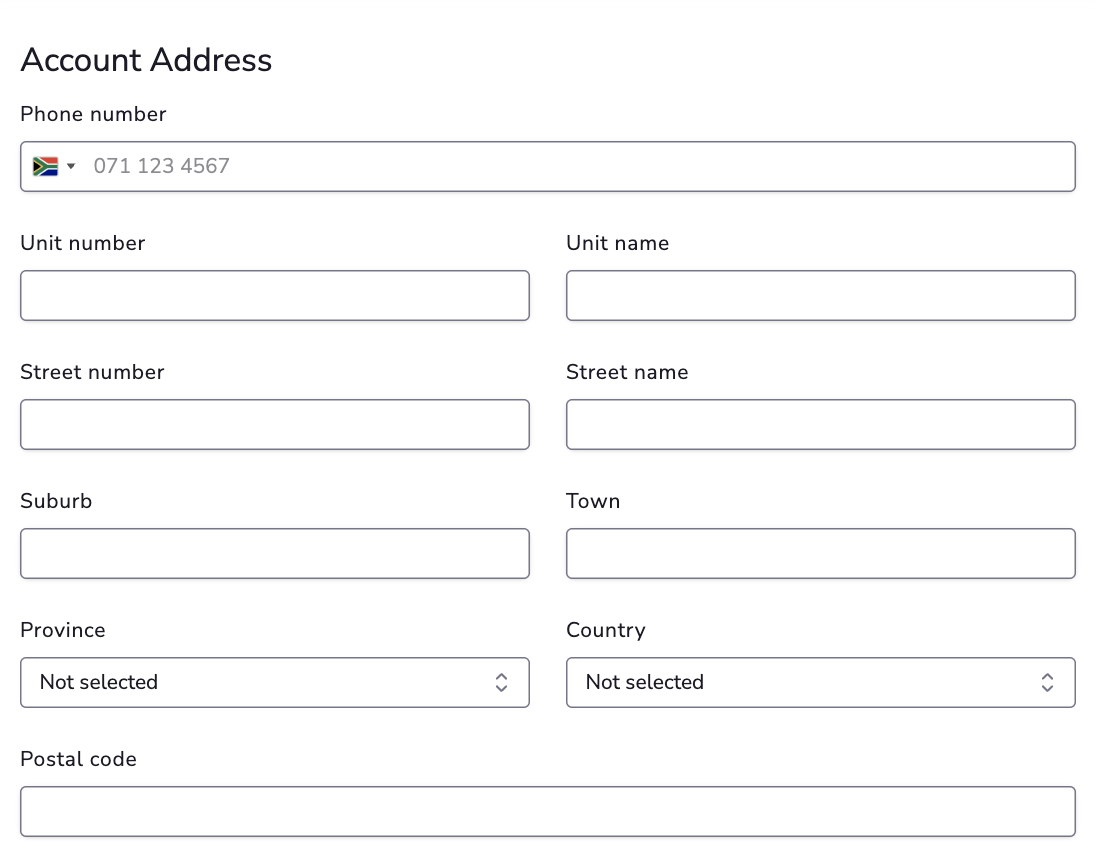
Used on manual invoices and for tax calculation. Include at least the postal code and country so taxes can be calculated for the account's purchases. The address can include phone number, unit name and number, street number and name, suburb, town, region or province, country, postal code, and location coordinates when captured.
For address consistency, see Countries, Provinces, and States.
Billing Info#
Once the account has been created, the Billing Info section shows stored payment details. Customers usually add or update this during purchase, or when they manage their payment method. Billing info can differ from the account email and address.
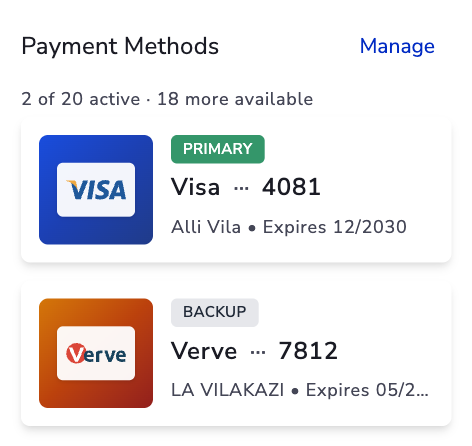
For wallet, billing-info, and payment-method specifics, see Account Wallet.
Account Notes#
Leave internal notes to add context — for example, refund reasons, customer requests, or operational handovers. Notes are not visible to customers.
Update Accounts#
After creation, you can update all fields except the account code. Account-code immutability protects historical billing references and integrations.
Close Accounts#
Closing an account:
- Permanently deletes stored billing information.
- Cancels any active subscriptions — they remain active until the current billing period ends.
- Fails any open invoices.
Close accounts only when all business with the customer is complete. The Close Account action is available from the account detail view for users with the right permissions.
Reopen Closed Accounts#
You can reopen a closed account from Account Options → Reopen Account, or by creating a new account using the same account code. History is restored, but customers must provide billing info again before billing resumes.
Delete Accounts#
Accounts can only be deleted in sandbox or test environments. In production, account data is retained for historical accounting and cannot be removed.
Per-Account Rate Limiting#
MyPetParlor App enforces built-in, per-account rate limits to protect end-customer accounts from excessive activity. Counters increment based on the account_code used in API requests for:
- New subscriptions
- Transactions
- Billing info updates
These limits protect customers and the platform regardless of any external fraud or payment integrations. The limits themselves are fixed, but counters can be reset manually from the admin UI when needed.