

Send WhatsApp Broadcasts
Reach a whole group of customers with one WhatsApp campaign — announcements, promotions, and reminders sent on your schedule, with delivery you can track.
When you have something to tell lots of customers — a promotion, an announcement, a seasonal reminder — WhatsApp Broadcasts let you send it to a whole group from one campaign, on your schedule. You choose the audience, pick approved content, send now or set it for later, then watch how it lands. It's marketing and operational messaging that reaches people where they already are.
Key Benefits#
- Reach everyone at once — Send a single campaign to a whole group instead of messaging one by one.
- Message where customers are — WhatsApp open rates beat email, so the right people actually see it.
- Send on your schedule — Fire a broadcast immediately or schedule it for the perfect moment.
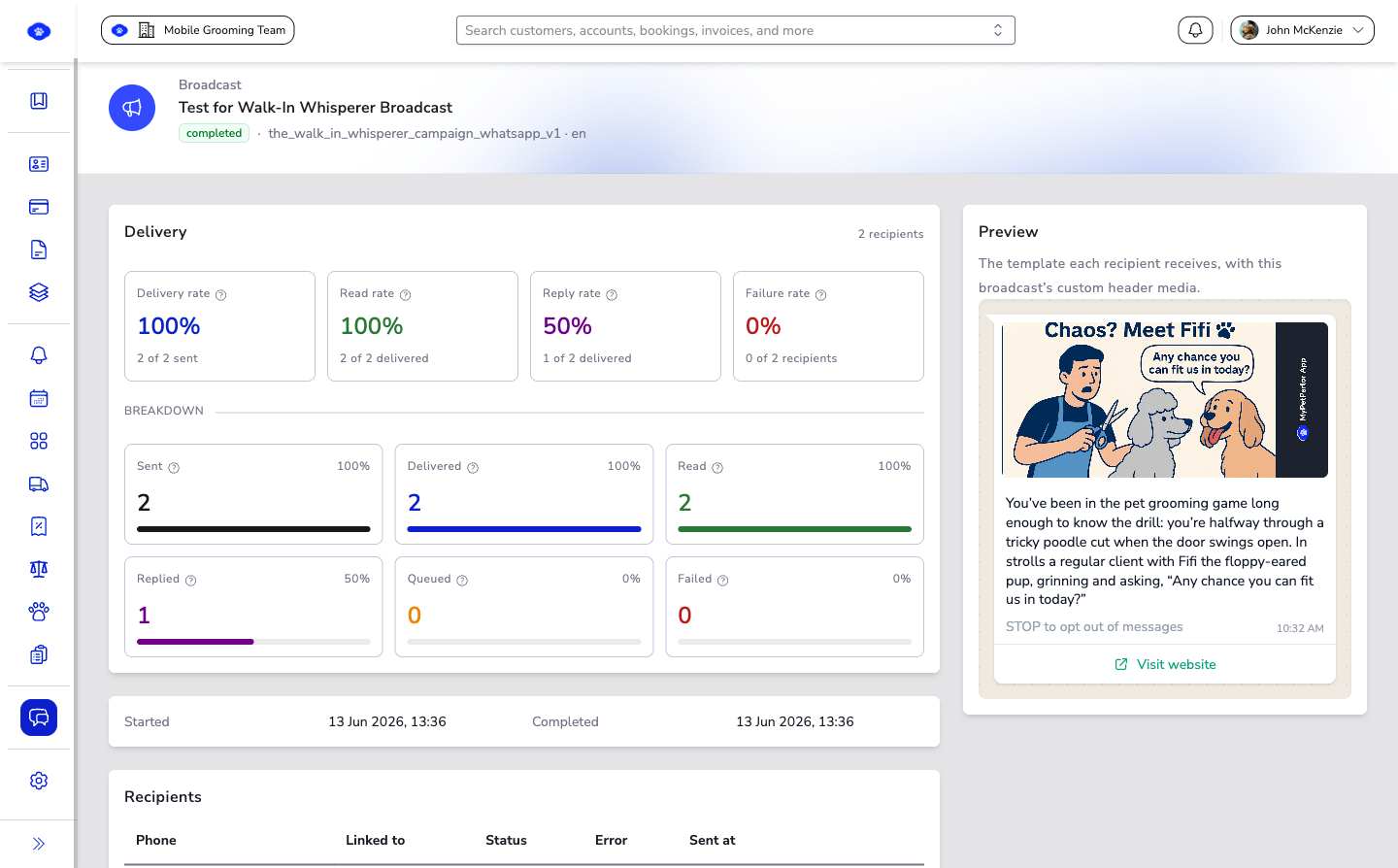
- See what landed — Track delivery and recipient outcomes to learn what works for next time.
What Broadcasts Are For#
- Announcements and promotions.
- Operational and seasonal campaign messaging.
- Scheduled reminders to a prepared audience.
How to Build and Send a Broadcast#
- Open WhatsApp → Broadcasts.
- Click New broadcast.
- Set the broadcast name and choose your audience.
- Select the approved message content to send.
- Send immediately, or schedule it for later.
Measure and Improve#
After sending, review the broadcast status and recipient outcomes to confirm delivery progress and spot any follow-up actions worth taking.
Good to Know#
- Broadcasts send approved Message Templates, so prepare your content first.
- A clear, well-chosen audience matters more than a big one — relevance drives results.
Run a small test audience first when you launch a new campaign pattern, then scale up once the message and timing are proven.
Related#
- WhatsApp Message Templates — Prepare the approved content your broadcast sends.
- WhatsApp Inbox — Handle the replies your broadcast brings in.