

Account Dashboard
Use the account dashboard to search for accounts, open account details, and review billing activity from one place.
The Account Dashboard is your central hub for finding accounts and reviewing customer billing activity. From here you can search, filter, and navigate to individual account detail pages, where subscriptions, invoices, line items, transactions, credits, and address information are grouped under the selected account.
Viewing Your Accounts#
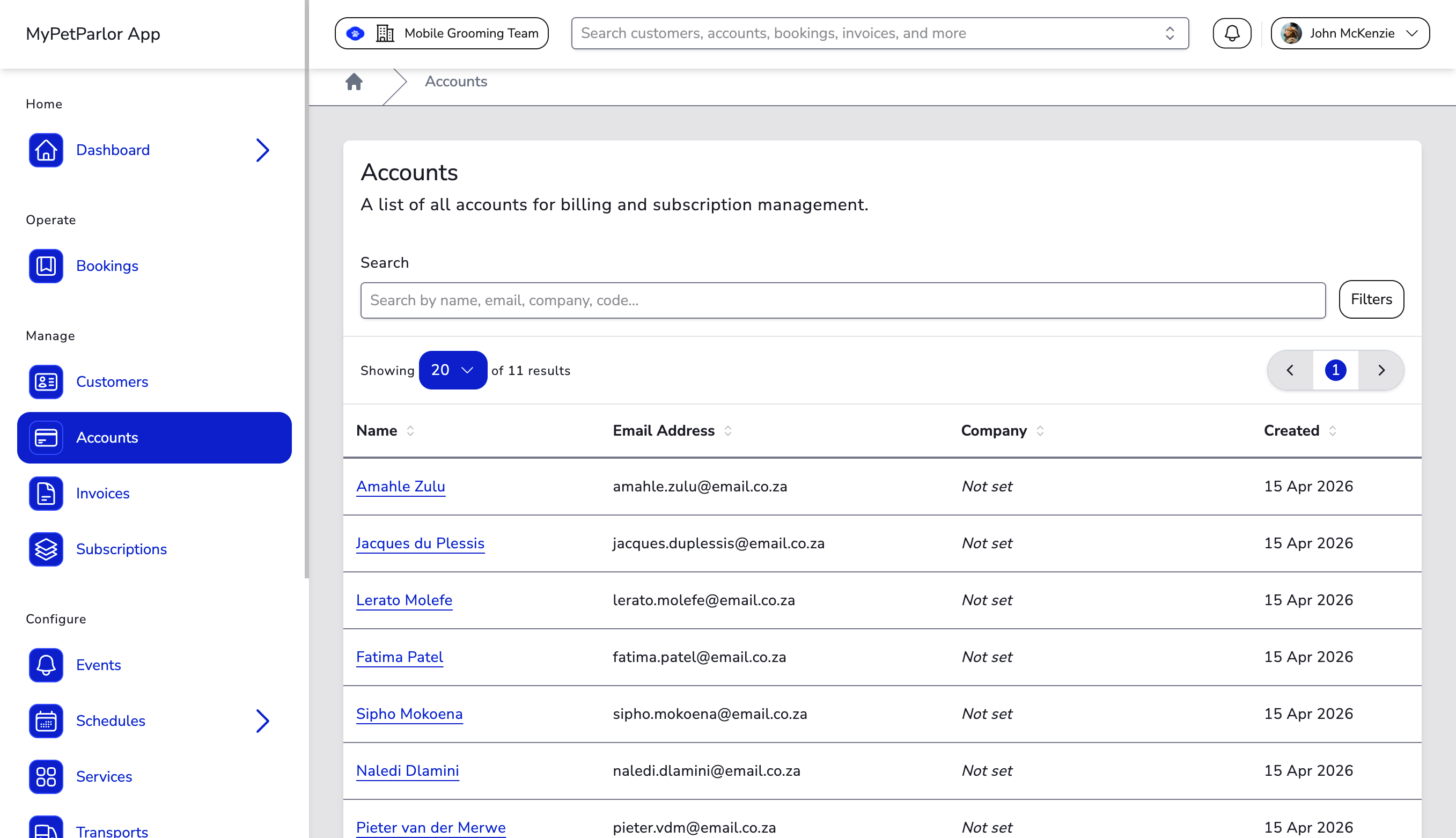
The dashboard displays a table of all accounts with the following columns:
| Column | Description |
|---|---|
| Name | The account holder or customer name. Click to open the account detail page. |
| Email Address | The account email used for billing and invoice communication. |
| Company | The company name, where the account is used for business billing. |
| Created | The date the account was created. |
Sorting#
Columns for Name, Email Address, Company, and Created are sortable. Where your role has permission to add accounts, a create-account action is available from the dashboard.
Searching#
Use the Search field at the top of the dashboard to find accounts by name, email, company, or account code. Results update as you type.
Filtering#
Click the Filters button to open the filter panel. The button shows an active filter count when filters are applied.
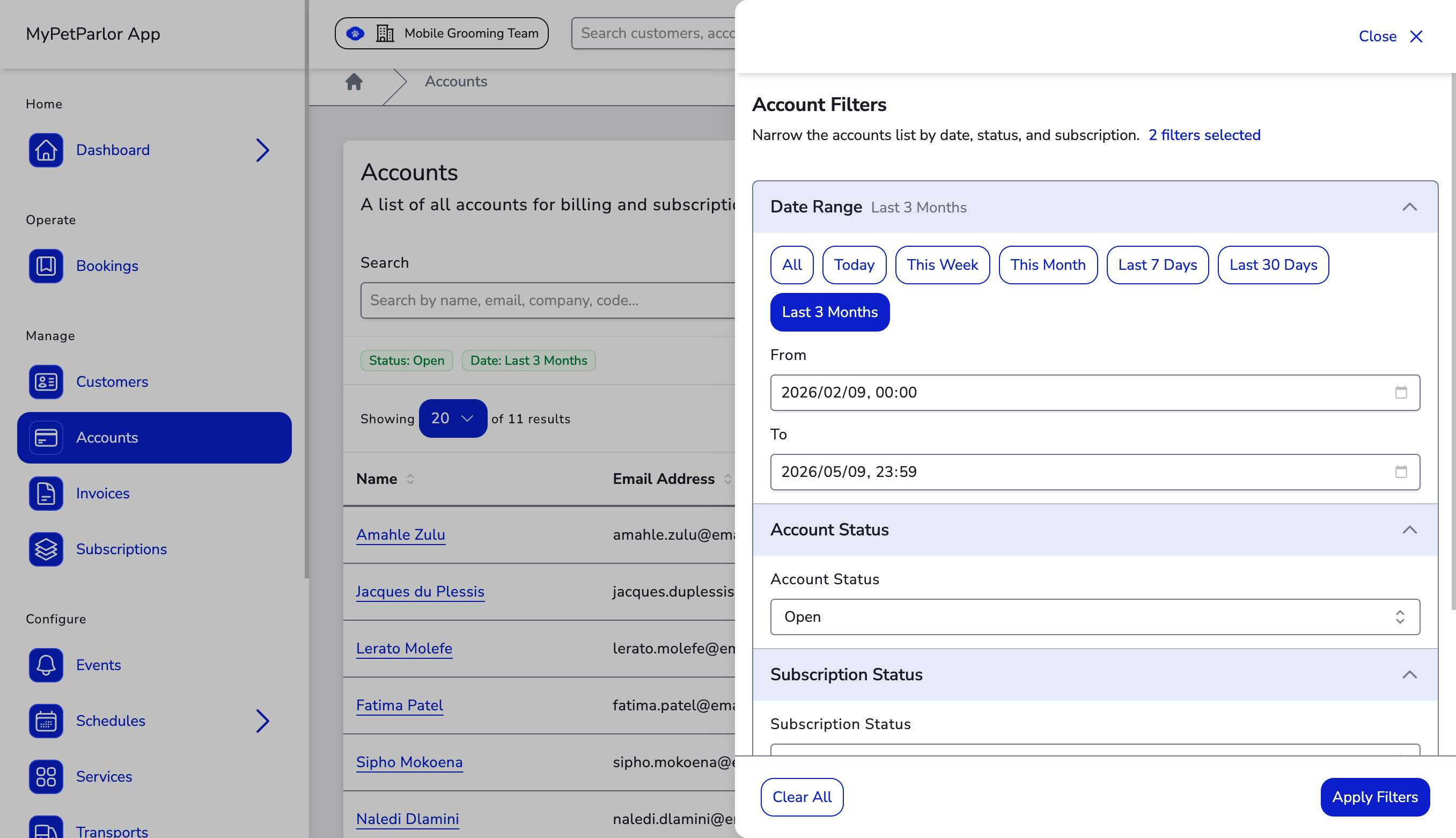
- Date Range — Filter by creation date using preset ranges (All, Today, This Week, This Month, Last 7 / 30 Days, Last 3 Months) or custom from/to dates.
- Account Status — Filter by account status (for example, Open).
- Subscription Status — Filter accounts by the status of their subscriptions.
Active filters appear as coloured pills below the search bar. Click Clear All to reset filters, or use Reset on the list to clear search and filters and return to the default account list.
Combine search and filters together. For example, search for a customer name while filtering by account status to quickly find the right billing record.
Pagination#
When you have many accounts, the dashboard paginates results automatically. Use the controls at the list boundary to navigate between pages.