

Credit invoices
Elevate your billing with MyPetParlor credit invoices — streamline credit adjustments, keep financial records crystal clear, and enhance customer satisfaction with auditable refunds, write-offs, and standalone credits.
Elevate your billing experience with MyPetParlor's credit invoice feature. Streamline your credit adjustments, ensure clarity in financial records, and enhance customer satisfaction — every credit issued to a customer is recorded on its own distinct invoice, separate from charges, with a full audit trail for refunds, write-offs, and standalone adjustments.
Key Benefits#
- Clear financial records. Credits live on their own invoice, separate from charges, so reporting and reconciliation are accurate.
- Enhanced customer understanding. Customers receive straightforward documents — a charge invoice for what they owe, a credit invoice for what they have been credited — reducing confusion and disputes.
- Tax compliance support. Separating credits from charges makes it easier to reverse taxes correctly and meet jurisdiction-specific tax requirements.
- Streamlined operations. Credit invoices are issued automatically for refunds, write-offs, and subscription changes, removing manual bookkeeping.
Understanding Credit Invoices#
A credit invoice is akin to a credit note or credit memo in traditional accounting. Where a charge invoice records an amount the customer owes, a credit invoice records an amount the account has been credited — giving you the same separation of credits from charges that a credit note provides, with its own invoice number, line items, and audit history. This separation offers clarity for financial reporting, aids tax compliance, and makes statements more transparent for customers.
Credit invoices fall into three types:
1. Credit#
A standalone credit that is not linked to a specific charge. Used for promotional credits, goodwill gestures, or custom adjustments. Because these credits are not tied to a charge, they do not reverse discounts or taxes. When issued, the customer is notified that a new credit invoice has been posted to their account.
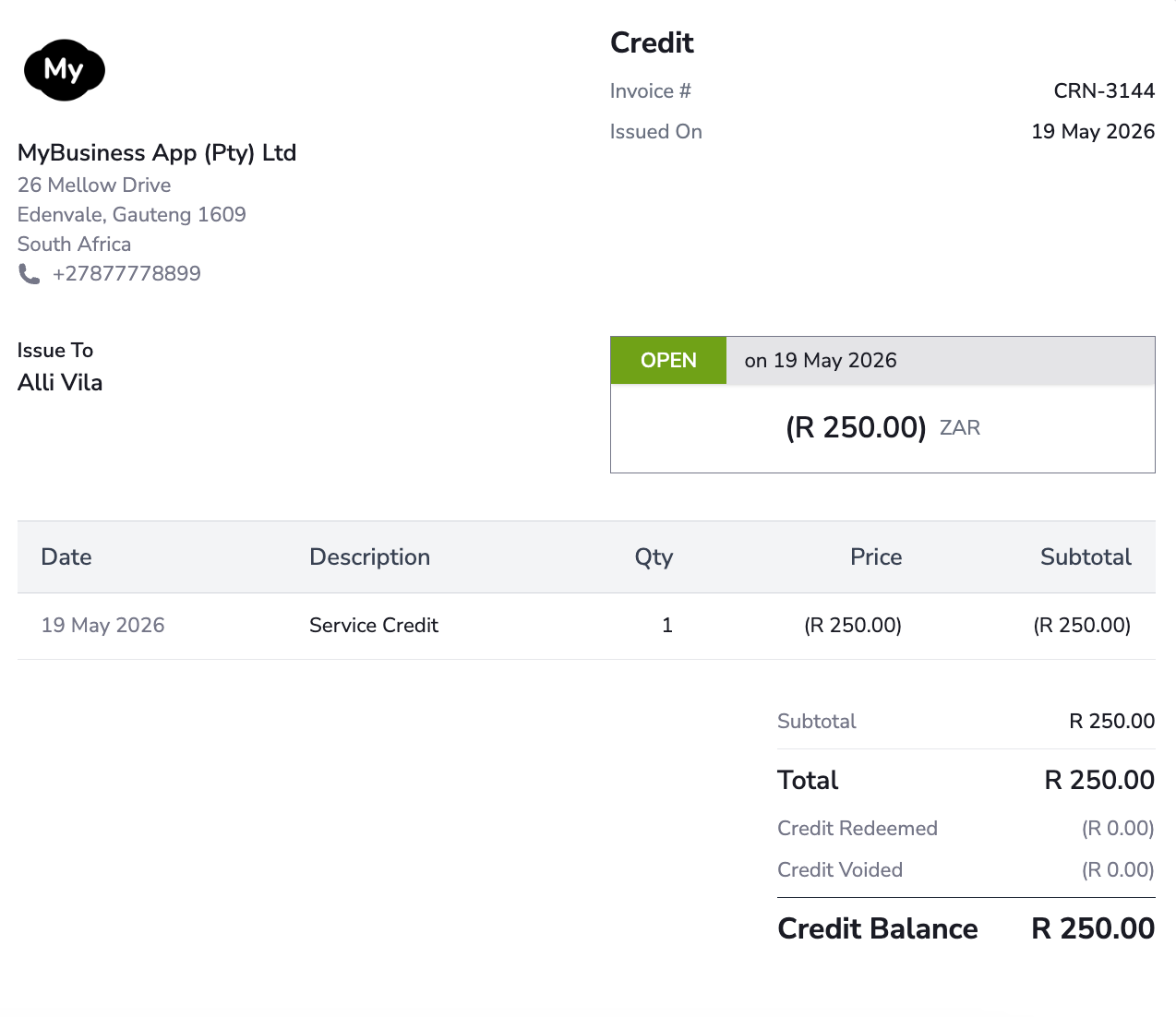
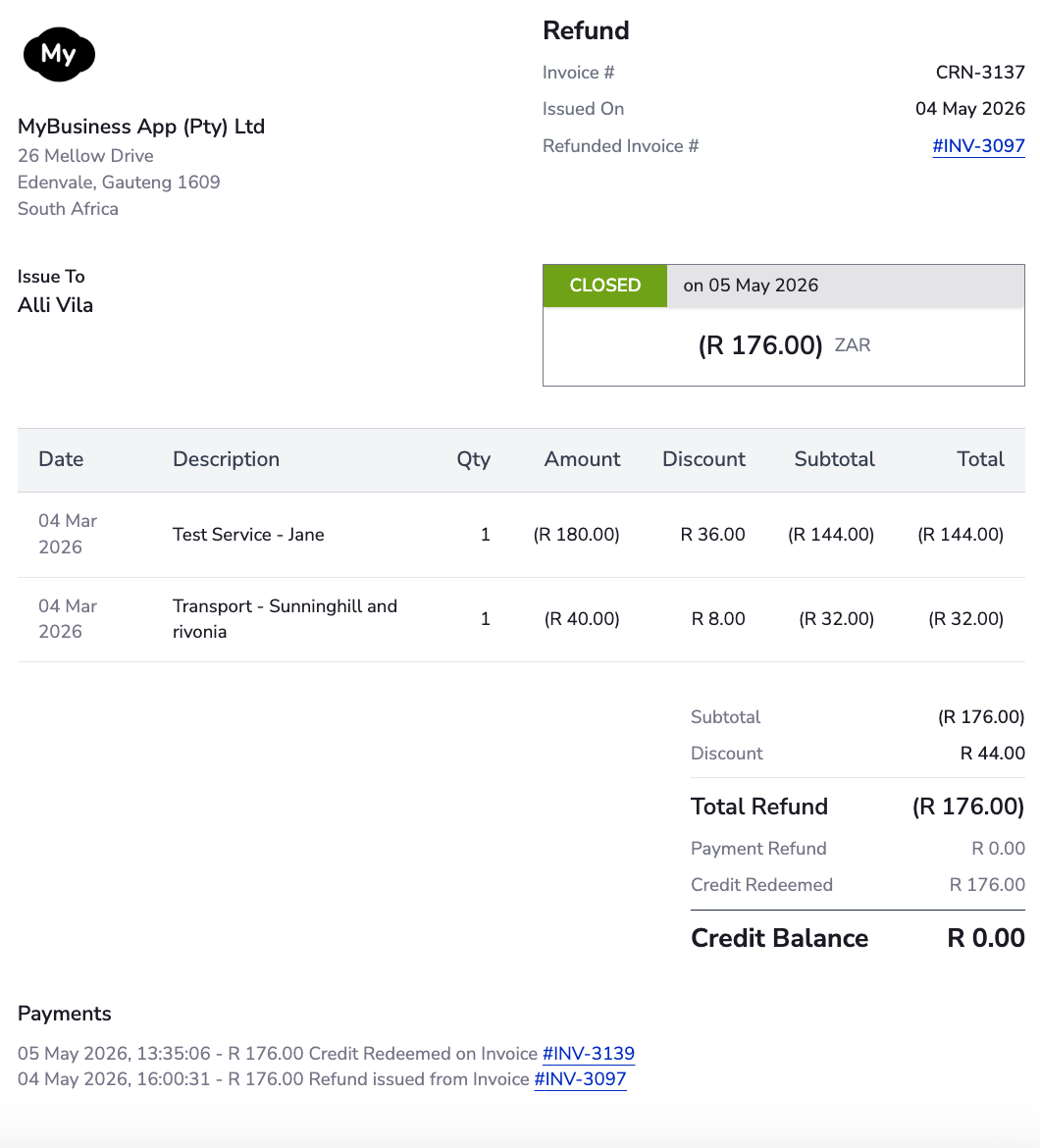
2. Refund#
A credit that reverses previously issued charges. Generated when a subscription changes immediately with prorated credit, or when a paid invoice is refunded. The customer email depends on the event that triggered the refund (subscription change, manual refund, etc.).
Refund credit invoices use the billing and shipping information from the original invoice — even if the account address has been updated since.
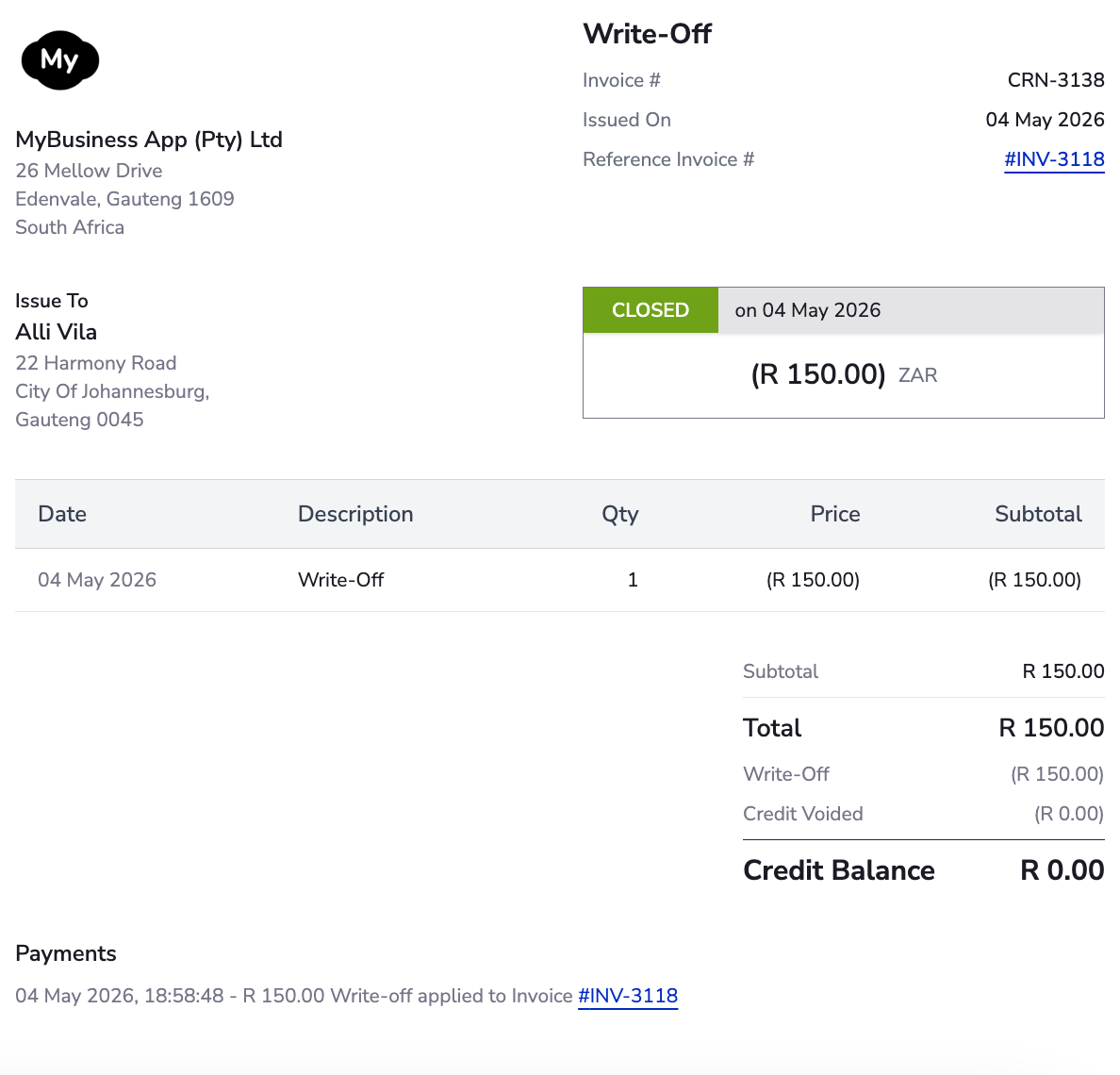
3. Write-off#
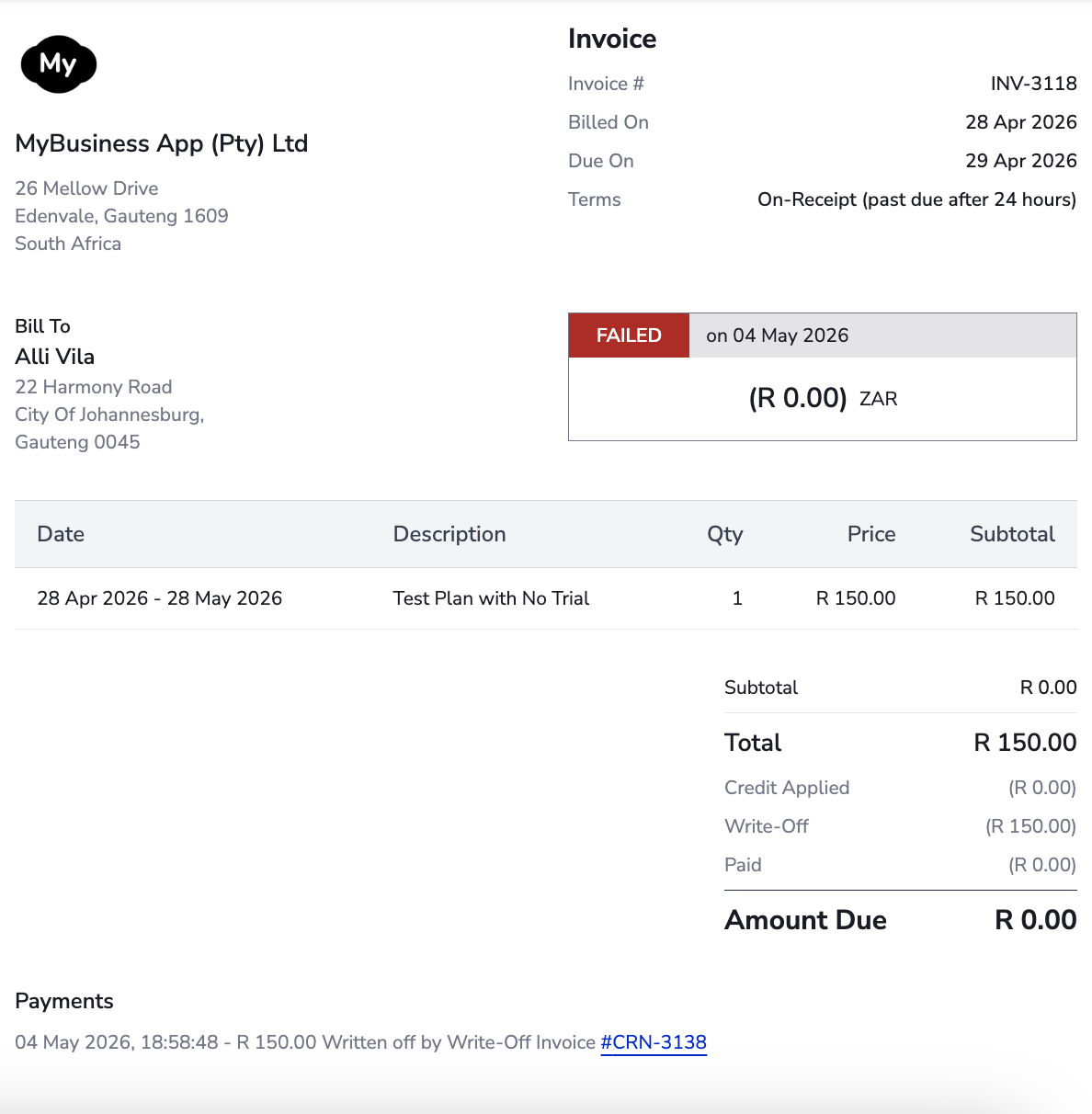
A credit that offsets a failed charge invoice. With credit invoices, a failed invoice is always paired with a write-off credit invoice that zeroes out its balance.
Credits issued against a charge can never exceed the original charge amount. This prevents over-crediting scenarios such as a downgrade following a refund.
Navigating Credit Payments#
When a credit invoice's balance settles a charge invoice, MyPetParlor records a credit payment that reduces both balances. Credit payments are visible on the invoice and can be exported for audit.
Credit Payment Actions#
Credit payment actions in MyPetParlor track the application or removal of credit balances. This includes using an open credit balance for a charge invoice payment, recording balance write-offs, removing credit balances, and refunding a credit payment as a cash transaction. These actions can be viewed in the Credit Payments export or via the API.
Invoice Origins#
Every invoice — charge or credit — carries an origin indicating the event that created it. Origin is visible on the invoice detail page, available as a filter on the invoices index, and included in exports and webhooks.
| Origin | Code | Description |
|---|---|---|
| Purchase | purchase | A charge invoice from a subscription purchase or one-time purchase, including gift card purchases. |
| Renewal | renewal | A charge invoice from a subscription renewal at each billing cycle. |
| Immediate Change | immediate_change | A charge or credit invoice issued for an immediate subscription change (upgrade, downgrade, plan switch). |
| Termination | termination | A credit invoice for a refund during subscription termination, or a charge invoice for final usage in termination. |
| Refund | refund | A credit invoice created by directly refunding a charge invoice. |
| Posted Credit | credit | A custom credit invoice not linked to a specific charge invoice. |
| Gift Card Redemption | gift_card | A credit invoice for redeeming a gift card. Gift card purchases use the purchase origin instead. |
| Write-Off | write_off | A credit invoice for writing off a failed charge invoice as bad debt. |
| Prepayment | prepayment | A charge invoice for a specific amount paired with a credit invoice for an equivalent credit amount. |
| External Refund | external_refund | A credit invoice raised in response to an external refund such as a chargeback from the payment gateway. |
| Carryforward Credit | carryforward_credit | A credit invoice that transfers previously issued credits into the credit-invoice format. |
| Carryforward Gift Credit | carryforward_gift_credit | The same as carryforward credit, but specific to migrating gift card credit balances. |
| Usage Correction | usage_correction | A credit invoice that corrects net-negative usage on usage-based add-ons. |
| Line Item Refund | line_item_refund | A credit invoice that refunds specific line items on a legacy invoice (by quantity or amount). |
| Open Amount Refund | open_amount_refund | A credit invoice that refunds a specific dollar amount against a legacy invoice. |
Streamlined Subscription Changes#
Immediate subscription changes, whether downgrades or upgrades, separate credits from charges. This means a single subscription change can result in a charge invoice, a credit invoice, or both.
For instance, if a subscription changes from a Silver plan to a Gold plan mid-cycle:
- a credit invoice is issued for the unused Silver credit, and
- a separate charge invoice is issued for the new Gold charge.
Despite the issuance of two invoices, only one Subscription Change email is sent to the customer. If PDF attachments are enabled on your MyPetParlor emails, the customer receives two invoice PDFs — one for the credit invoice and another for the charge invoice.
Standalone Credit Invoices#
Standalone (one-off) credits are issued on their own credit invoice from the MyPetParlor dashboard.
To issue a one-off credit invoice:
- Navigate to the customer's billing account.
- Click Add Credit.
- Fill in the credit details:
- Note to customer — a message that appears on the credit invoice.
- Reason code — categorise the credit as
general,service, orpromotionalto track its purpose. - Add another credit adjustment — define multiple credit adjustments on the same invoice.
- Account note — an internal note attached to the account, not visible on the invoice.
- Preview the credit invoice or Post it directly to the account.
Uninvoiced credit adjustments can also be created via the API. They are not applied to charge invoices until they have been invoiced — either manually or automatically at the next billing event.
Refund Capabilities#
Refunding a paid invoice creates a refund credit invoice with credit adjustments mirroring the refunded line items. If the original invoice was paid partly with credit, that portion transfers as part of the credit balance on the refund invoice.
For example, refunding a 20 of credit payment and an $80 card transaction, fully to credit, produces a refund credit invoice with:
- Total of ($100)
- No refund transactions
- Credit balance of ($100)
Advanced refund options#
Refunding offers several options to match the scenario:
- Prorated refund. Refund part of an invoice now and keep the option to refund the remainder later.
- Refund to credit balance. Instead of returning funds to the original payment method, post the refund to the account's credit balance. The balance is automatically applied to future invoices.
- Refund credit payment to original payment method. If an invoice was paid with a credit payment, and that credit payment originated from a refundable transaction, the credit payment can be refunded as a cash transaction — preserving a clean transaction trail.
- Handling failed refunds. If a refund transaction declines, MyPetParlor by default creates the refund credit invoice and retains the amount on its credit balance. You can also choose to block declined refunds, retry the transaction, record an external refund, or void the credit invoice.
Write-offs Explained#
When a charge invoice fails outright or at the end of the dunning cycle, MyPetParlor generates a paired write-off credit invoice that zeroes out the failed invoice's balance. The write-off invoice mirrors the failed charges — including descriptions, taxes, and discounts — as credit adjustments tagged with the write_off reason code. The invoice itself carries an origin of write_off for easy identification.
On creation, the write-off balance is immediately applied to the failed invoice via a write_off credit payment, closing the credit invoice the moment it is posted.
Failing an invoice that was paid with a credit payment voids the credit payment and reopens the originating credit invoice. This triggers an account activity entry and a webhook notification.
Voiding Credit Invoices or Balances#
Credits cannot be deleted — the audit trail must remain — but their balance can be voided.
-
Full credit invoice void. If the credit invoice retains its full balance (no credit payments or refund transactions have reduced it), the entire invoice can be voided. The invoice moves to a Voided state and the balance is removed via a
reductioncredit payment.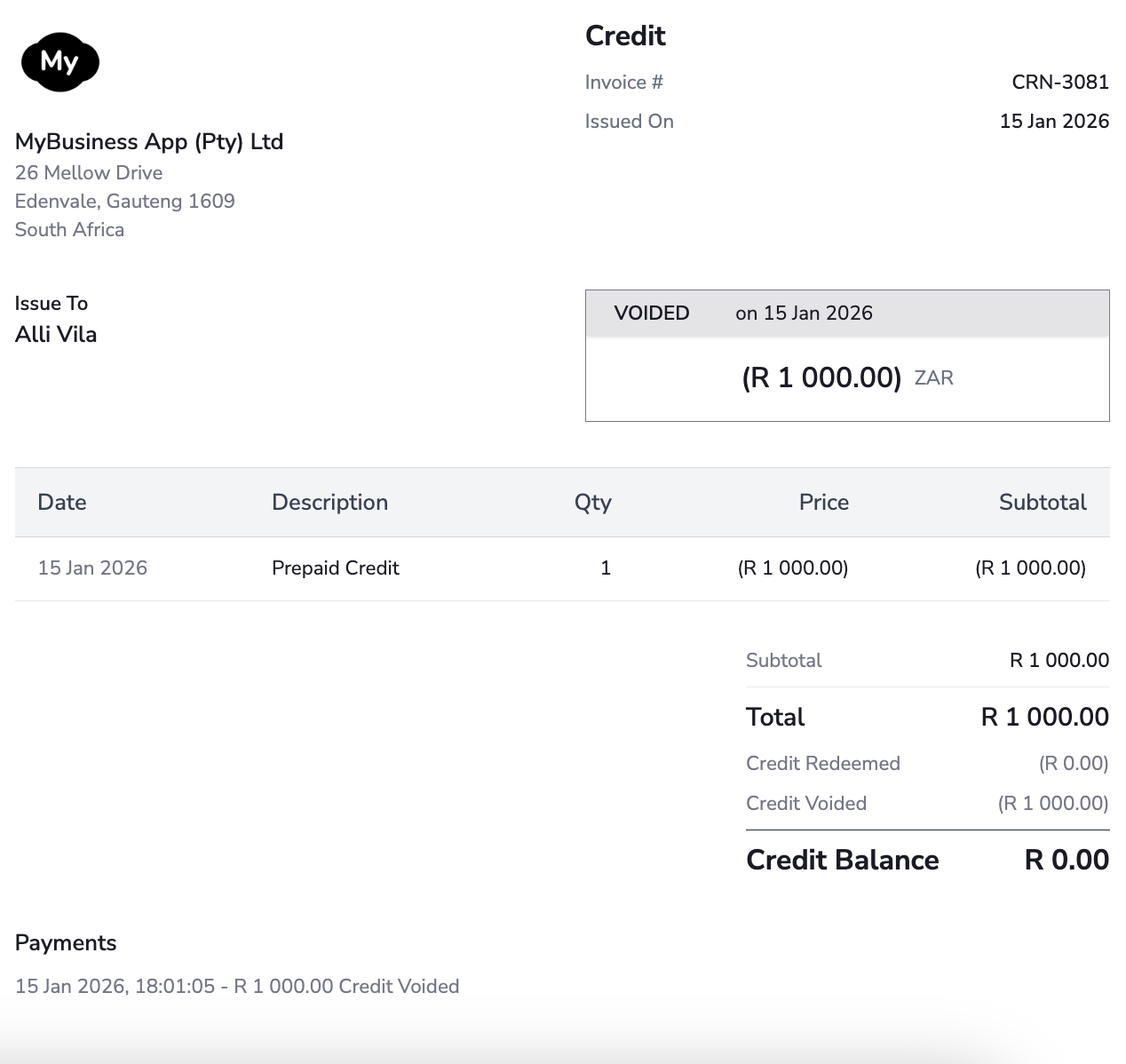
-
Partial credit balance void. If only part of the balance remains, the invoice itself cannot be voided, but the remaining balance can. A
reductioncredit payment is recorded for the remaining amount and the invoice is closed.
To audit removed credit balances, export Credit Payments and filter by the reduction action.
Credit Limitations#
To keep accounting clean and to reverse discounts and taxes accurately, each credit is associated with its originating charge. The total of all credits against a charge can never exceed the charge itself — preventing scenarios such as a refund followed by a downgrade producing more credit than was originally paid.
Tax Implications#
Refund and write-off credit invoices will reverse taxes if the original charge invoice collected them. However, one-off credit invoices won't reverse taxes since they aren't linked to specific charges.
For EU-based transactions, credit invoices won't display VAT Reverse Charge Notes if the original invoice was a reverse charge. The credit invoice will reference the original invoice, which contains the VAT Reverse Charge Notes.
Email Template Updates#
The credit invoices feature introduces changes to the customer email templates. Review the following templates and customise them to fit your brand and workflow.
Payment Confirmation#
The email is dispatched when a charge invoice is fully settled with a credit payment, in addition to the existing case where it is settled with a card transaction.
Payment Refunded#
The email is sent when a refund is entirely credited to a credit balance, rather than returned to the customer's original payment method.
Subscription Change#
The Subscription Change email is dispatched immediately upon request. If an immediate subscription change results in both a charge and a credit invoice and your site supports PDF attachments, the email will include two PDF attachments — one for the credit invoice and another for the charge invoice.
Credit Invoice email template#
The email is dispatched whenever a one-off credit invoice is issued. It does not apply to write-off credits, refund credit invoices, or subscription-change credits — those are covered by the templates above. Consider customising this template to match how you want to announce promotional or goodwill credits to your customers.