

Subscription Dashboard
Navigate the subscription list view to find, filter, and manage customer subscriptions
The Subscription Dashboard is your central hub for viewing and managing all customer subscriptions. From here you can search, filter by state, and navigate to individual subscription details.
Viewing Your Subscriptions#
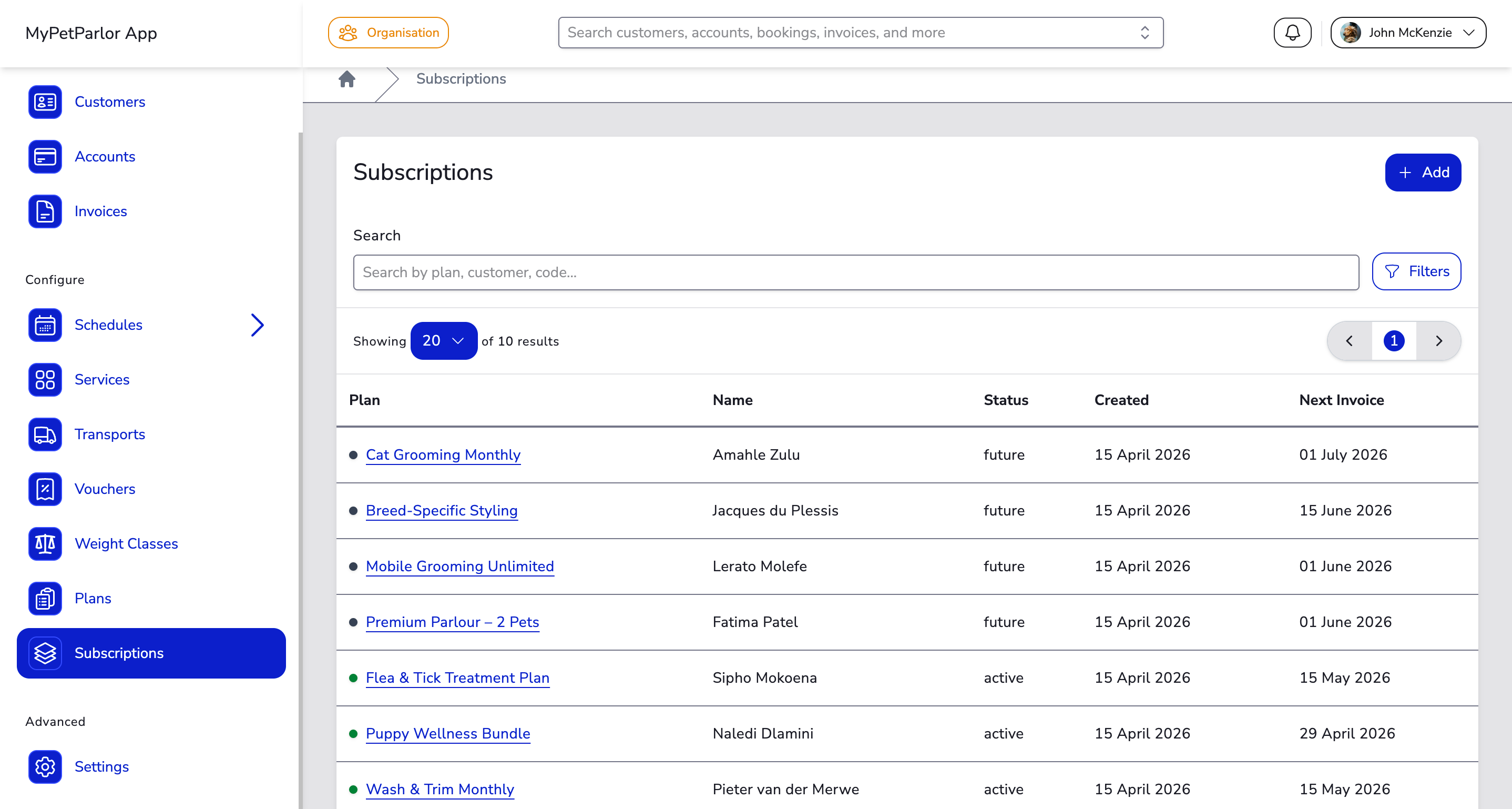
The dashboard displays a table of all subscriptions with the following columns:
| Column | Description |
|---|---|
| Plan | The plan name with a colour dot indicating the subscription's state. Click to open the detail page. |
| Name | The full name of the customer (account holder). |
| Status | The current subscription state — see Subscription States below. |
| Created | The date the subscription was created. |
| Next Invoice | The date the next invoice will be generated. |
Searching#
Use the Search field at the top of the dashboard to find subscriptions by plan name, customer name, or subscription code. Results update as you type.
Filtering#
Click the Filters button to open the filter panel:
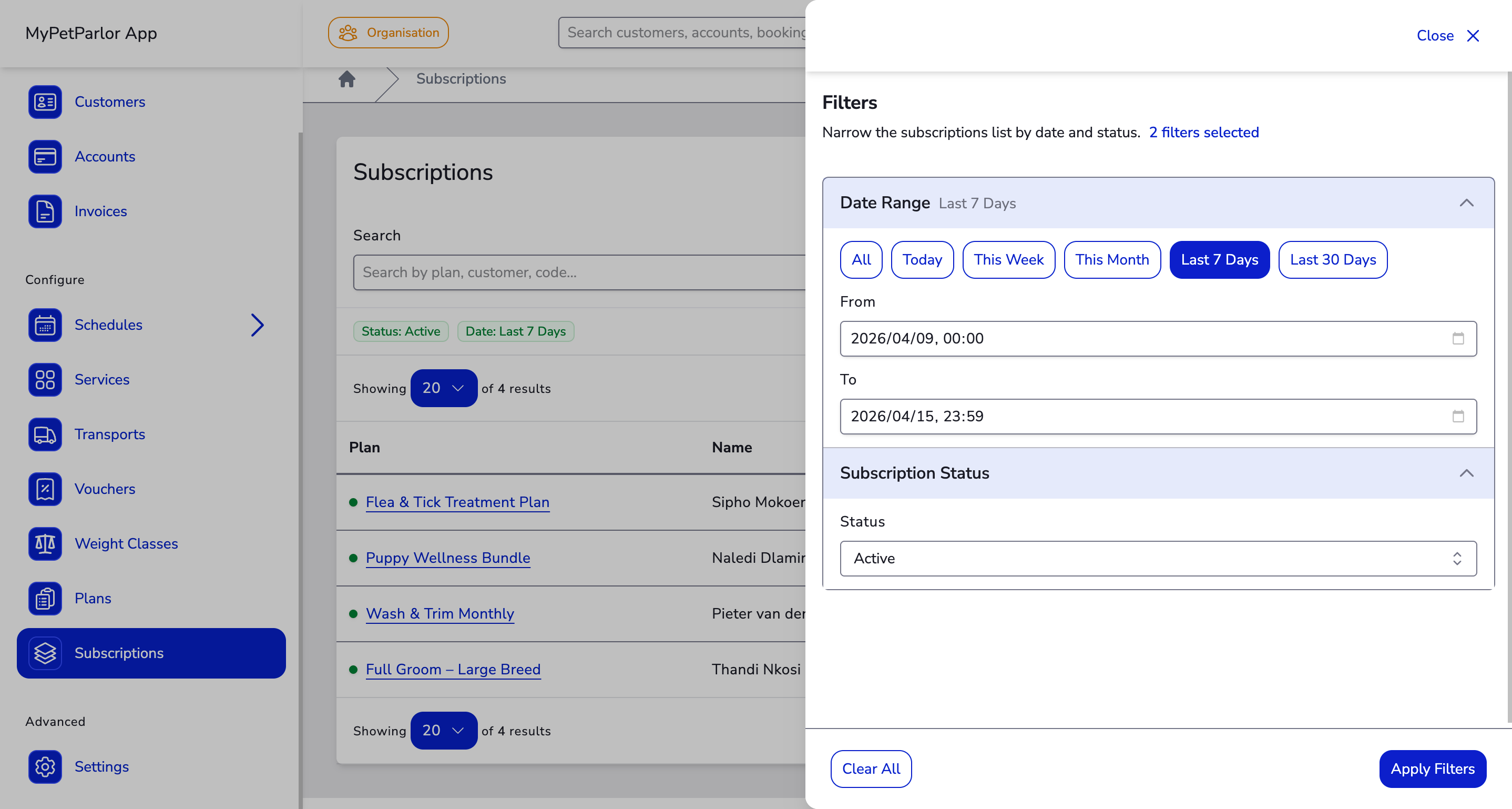
- Date Range — Filter by creation date using preset ranges or custom from/to dates.
- Status — Filter by subscription state (see below).
Active filters appear as coloured pills below the search bar. Click Reset to clear all filters.
Combine search and filters together. For example, search for a customer name while filtering by "Active" status to quickly find their current subscription.
Pagination#
When you have many subscriptions, the dashboard paginates results automatically. Use the controls at the top and bottom of the table to navigate between pages or change the number of results shown.
Subscription States#
Each subscription on the dashboard shows one of the following states. These filter categories help you quickly find and manage subscriptions at every stage of the lifecycle.
| State / Filter | Description |
|---|---|
| Active | Billing normally. Includes subscriptions currently in a trial period. |
| In Trial | A subset of Active — the subscription is within its trial period and has not yet been charged. |
| Live | All renewing subscriptions, including both Active and Canceled (still running until period end). |
| Future | Scheduled to start on a future date. No invoices are generated until the start date. |
| Paused | Billing is temporarily halted. The subscription is still active but will not generate invoices until resumed. |
| Canceled | Set to expire at the end of the current billing period. Can be reactivated before it expires. |
| Expired | The subscription has ended permanently. Create a new subscription to re-enrol the customer. |
| Failed | Failed due to payment issues during creation or the dunning cycle. Cannot be reactivated. |
Filter categories can overlap. For example, the Live filter includes both renewing and canceled subscriptions that are still within their current term.