

Postpone a Subscription
Shift the next billing date to extend or shorten the current period — without changing the plan, creating prorated charges, or skipping entire billing cycles.
The Postpone Subscription feature lets you change a subscription's next billing date — either extending or shortening the current billing period. This is useful when you need to align a customer's billing cycle to a specific date without changing their plan or skipping entire billing cycles.
Key Benefits#
- Billing flexibility — Easily adjust billing cycles to meet both your business needs and your clients' preferences.
- Cost-effective adjustments — Instead of creating new plans or making complex subscription changes, simply postpone to align with a specific date.
- Better client experience — Offer tailored billing solutions without affecting the client's subscription plan or services.
- Simple to manage — Postponing is handled directly from the subscription detail page — no extra steps.
- Boost retention — Cater to special requests or short-term situations where a client needs a billing shift, building loyalty and reducing cancellations.
Difference from Pause#
| Feature | Postpone | Pause |
|---|---|---|
| What changes | Shifts the next billing date to a new date | Skips one or more entire billing cycles |
| Billing date impact | Permanently changes the billing date going forward | Billing date may shift based on when the subscription resumes |
| Charges | No proration — no extra charges or credits | No charges during paused cycles |
| Best for | One-time billing date adjustment | Extended break from billing |
How to Postpone a Subscription#
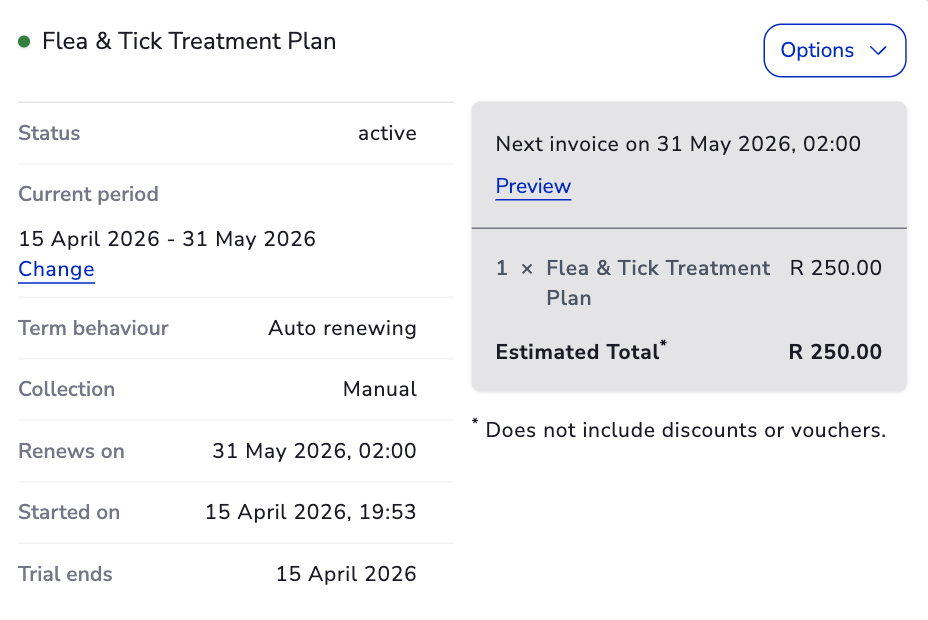
- Navigate to the client's account and open the relevant subscription.
- In the subscription details, locate the Current Period field.
- Click the Change link next to the current period.
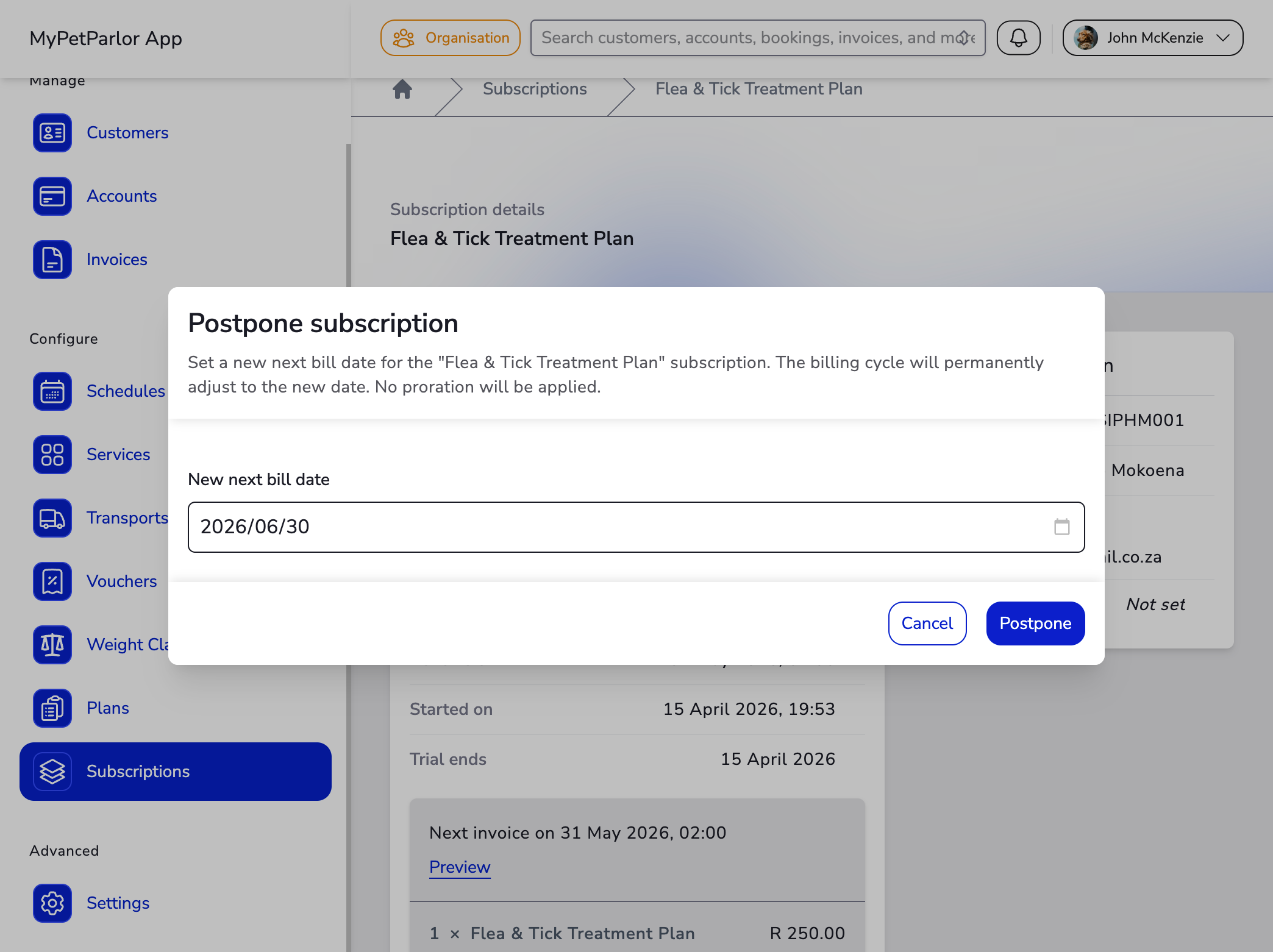
- In the postpone dialog, enter the date you'd like the current period to end and the new billing cycle to begin.
- Click Postpone.
The dialog description varies based on the subscription's current state:
- Active subscription — "Set a new next bill date for the subscription. The billing cycle will permanently adjust to the new date. No proration will be applied."
- Trial subscription — "Set a new date for when the trial ends and the first billing period begins. No proration will be applied."
What Happens After Postponing#
- The subscription's current billing period is extended (or shortened) to end on the new date.
- Future billing dates permanently adjust to align with the new date. For example, if a yearly subscription billing on 15 May is postponed to 10 December, future renewals will occur on 10 December each year.
- No invoice is generated for any extra time added by the postponement.
- The subscription remains in its current state (Active).
If you make an immediate subscription change after postponing, the system assumes the customer has already been charged for the extended period. This means proration calculations may result in credits or charges exceeding the standard per-unit price.
Postponing one subscription does not affect other subscriptions on the same account. Each subscription's billing date is managed independently.
If you need to skip multiple billing cycles without changing the billing date, use Pause instead.